Microsoft Fabric for Finance Teams: From Reporting Layer to Working Automation
Companies deploy Microsoft Fabric, wire Business Central into the medallion layers, build Power BI dashboards -- and stop. The same Gold layer that feeds your dashboards can feed systems that do finance work. Here's what that looks like in production.
Key Takeaway
Companies deploy Microsoft Fabric, wire Business Central into the medallion layers, build Power BI dashboards -- and stop. The same Gold layer that feeds your dashboards can feed systems that do finance work. Here's what that looks like in production.
What Microsoft Fabric Actually Gives a Finance Team
Microsoft Fabric is Microsoft's unified data platform: one place where data from your ERP, CRM and operational systems lands (OneLake), gets cleaned and modelled in stages, and comes out queryable by anything that speaks SQL or Power BI. For a finance team, the practical translation is: one governed copy of your numbers, refreshed on a schedule, that every report reads from -- instead of a dozen exports with a dozen versions of the truth.
The standard structure is the medallion architecture, and the jargon is simpler than it sounds:
- Bronze -- raw data as it arrived from Business Central or your other systems, untouched.
- Silver -- cleaned and conformed: types fixed, duplicates handled, keys aligned.
- Gold -- business-ready tables shaped for consumption: open invoices, customer balances, aged receivables, revenue by entity.
The Gold layer exposes a SQL endpoint -- and that endpoint, not the dashboards, is where the underused value sits.
The Reporting Layer Most Companies Stop At
The typical Fabric deployment at a mid-market company follows a familiar arc: a data partner wires the ERP into the medallion layers, Power BI reports get built on Gold -- aged debtors, cash position, sales by region -- and the project is declared done. This is genuinely valuable. Month-end reporting gets faster, arguments about whose spreadsheet is right mostly disappear, and finance finally has a governed data estate.
But notice what dashboards do: they describe the state of the business to a human, who then goes off and does the work in other tools. The aged debtors report can tell you 47 accounts are overdue. Someone still has to decide whom to chase, write the emails, track the replies and remember the promises. The data platform is live; the work it points to is still manual.
That last mile is exactly where we've found the higher-leverage use of Fabric.
The Step Most Teams Miss: Systems That Read Gold and Act
A Norwegian equipment rental group (~€30M revenue, Dynamics 365 Business Central, an existing Fabric deployment with Bronze/Silver/Gold layers) came to us with a collections problem: 1,080 open invoices, ~€7.6M outstanding, one person on AR. Their Fabric investment could already answer "who owes us what" perfectly. It just couldn't chase anyone.
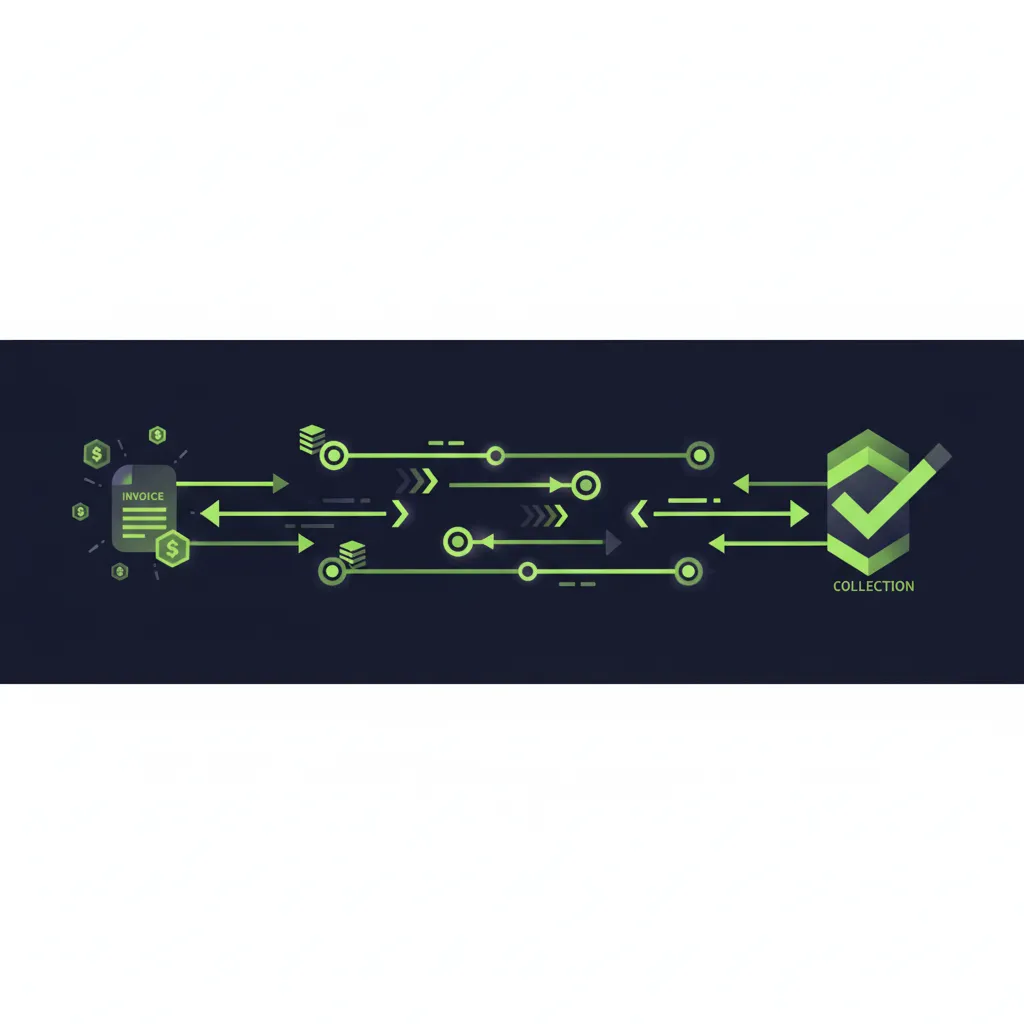
So instead of bolting on an AR SaaS tool with its own copy of the data, we built the collections system on top of the Fabric layer they already had. Every morning, after their own pipeline refresh, a sync job reads open invoices from the Gold SQL endpoint. An AI agent then drafts the right chase email for each account -- staged to an aging-based cadence, in Norwegian -- classifies every inbound customer reply into one of twelve intents, and routes all of it through a human approval queue. A single agent run drafted 162 correctly-staged chase emails. The full build is in the case study, and the collections-specific detail in our Business Central AR guide.
The generalisable point isn't about collections. It's that the Gold layer is an operational interface, not just a reporting one. Anything your dashboards can see -- open invoices, unmatched payments, cost overruns, stalled approvals -- an automated system can see too, and act on.
The Architecture: How an Operational System Sits on Fabric
The pattern we run in production has four rules, and they're all about keeping the warehouse trustworthy:
- Fabric stays read-only. The operational platform reads the Gold endpoint on a schedule; it never writes back. Agent-owned data -- tasks, drafts, conversation logs, approval decisions -- lands in the platform's own Azure PostgreSQL database. Your warehouse never gets polluted by application state.
- Sync after the refresh, not against it. The daily sync runs after the client's own pipeline completes, so the platform always works from the same numbers the dashboards show. Nothing is worse than automation and reporting disagreeing about the ledger.
- Act through Microsoft Graph, inside the tenant. Outbound email sends from the company's own shared mailbox via the Graph API -- threaded into existing conversations -- and inbound replies are polled from the same mailbox every ten minutes. The team signs in with Entra ID; the app runs on Azure Container Apps with scheduled jobs. Nothing leaves the Microsoft estate.
- Humans approve actions, not queries. Reading Gold is free; acting on it is gated. Every customer-facing email is a draft in an approval queue until a person releases it.
If you replace "chase email" with "supplier query", "rebate claim" or "cost-gap alert", the same four rules describe AP, job costing and controls automation on the same foundation. That broader pattern is what we cover under ERP finance automation.
Streamline Your Financial Operations
Join hundreds of businesses already saving time with FinTask. Get a personalised demo today.
Reporting Still Matters -- Do These Two Things First
None of this argues against dashboards; it argues against stopping at them. Two reporting-layer practices make the later automation step dramatically easier:
1. Shape Gold around finance objects, not report layouts. A Gold table like open_invoices with customer, amounts, due dates, dispute flags and payment references serves both a Power BI aged-debtors page and a collections agent. A table shaped like one specific report's rows serves only that report. If your Fabric partner is building Gold tables named after dashboard pages, push back.
2. Treat refresh reliability as a production SLA. A dashboard that's a day stale is an annoyance. An automation run against stale data sends a reminder for an invoice that was paid yesterday. The moment Gold feeds anything operational, pipeline monitoring and refresh timing stop being a BI nicety and become an operational dependency -- which is why our sync explicitly keys off the client's refresh completing.
Do You Need Fabric for This?
No -- and it's worth being straight about that. Fabric was the right foundation for the rental group because they already had it; building on it meant weeks to production instead of a data project first. The same operational pattern works reading from Azure Synapse (our $11.8M collections build for a US insurance firm reads a Synapse view over Business Central), directly from an ERP's APIs, or from a plain SQL database.
The decision logic runs one way: don't deploy Fabric in order to automate -- but if Fabric or Synapse is already in place, build automation on its Gold layer rather than letting a SaaS tool make another copy of your ledger. You paid for a governed single source of truth; the automation should honour it.
Getting Started: Three Questions Before Any Build
If you have Fabric (or Synapse) in place and a finance process still running on exports and inboxes, three questions determine what to build first:
- Which Gold tables are already trustworthy? Automation should start where the data is already believed. If AR data is solid but cost data is contested, start with AR.
- Which process has the clearest rules? Cadences, thresholds and escalation paths that exist in writing (or can be written down in a workshop) automate cleanly. Judgment calls stay with people.
- Where does an hour saved compound? A one-person AR function chasing a €7.6M ledger was the perfect first target: the constraint was one human's hours, and every hour returned went straight into working capital via faster collections -- amplified in this case by receivables factoring.
These are the questions our AI readiness assessment works through against your actual estate. If your Fabric deployment currently powers dashboards and nothing else, tell us what's in your Gold layer -- we'll tell you what it could be running.
Frequently Asked Questions
What is Microsoft Fabric in simple terms?
Fabric is Microsoft's unified data platform: it lands data from your ERP and other systems in one store (OneLake), refines it in stages (the Bronze/Silver/Gold 'medallion' layers), and makes the business-ready Gold layer queryable by Power BI or anything that speaks SQL. For finance, it means one governed, scheduled copy of the numbers instead of competing exports.
What's the difference between the Gold layer and a Power BI report?
The Gold layer is the data -- clean, business-shaped tables like open invoices or aged balances, exposed through a SQL endpoint. Power BI reports are one consumer of that data. The underused insight is that operational systems can be another consumer: the same open_invoices table that renders your aged-debtors dashboard can drive a collections agent that actually works the ledger.
Can Microsoft Fabric connect to Dynamics 365 Business Central?
Yes -- Business Central to Fabric is a well-trodden path, and it's exactly the setup in the production build described here: BC data flows through Bronze, Silver and Gold layers, and both Power BI and the AR automation platform read from the Gold SQL endpoint after the daily pipeline refresh.
Should automation write data back into Fabric?
No. Keep the warehouse read-only for operational systems. Application state -- tasks, drafts, logs, approvals -- belongs in the application's own database (Azure PostgreSQL in our builds). This keeps the warehouse a clean, governed reflection of source systems, and means a bug in the automation can never corrupt the data everyone's reports depend on.
We don't have Fabric. Do we need it before automating finance work?
No. Don't deploy Fabric as a prerequisite for automation -- the same patterns work against Azure Synapse, ERP APIs or a plain SQL database. The rule runs the other way: if you already have Fabric or Synapse, build automation on that investment rather than letting a SaaS tool create another copy of your ledger outside your tenant.
Work out your own numbers
DSO / cash release calculator
See how much cash is tied up in your receivables, and what pulling your DSO back by a few days is worth.
Open the calculatorFree calculator · no email neededAP cost-per-invoice calculator
Work out what each supplier invoice costs you to process, and the annual gap to best-in-class.
Open the calculatorReady to Automate Your Accounting?
See how FinTask can save your team hours every week with AI-powered automation. Book a free consultation to get started.

Written by Reza Shahrokhi ACA
Chartered Accountant (Chartered Accountants Ireland) • Founder of FinTask • 8+ years in finance & automation
Reza is a Chartered Accountant and the founder of FinTask. He specialises in helping growing businesses automate accounts payable, invoice processing, and financial reconciliation using AI-powered tools integrated with Xero and QuickBooks.
More about the authorRelated Articles
Accounts Receivable Automation for Dynamics 365 Business Central
Business Central knows which invoices are open. It doesn't know who promised to pay, which dispute is blocking a six-figure payment, or whose turn it is to chase. Here's how mid-market teams close that gap -- with the architecture from two production builds, an $11.8M ledger and a €7.6M one.
14 min readERP Finance AutomationAccounts Payable Automation for Business Central and Dynamics 365 F&O
Business Central and D365 F&O know which purchase orders are open. They don't know that a supplier billed in cases when the PO ordered eaches, or that one damaged-parts credit memo on a consolidated invoice shouldn't hold up the other 49 lines. Here's the matching architecture that fixes that, from a production build.
13 min readERP Finance AutomationJob Costing Automation with Sage: Real-Time Project Profitability
Sage holds your books; your job costs live in fuel cards, timesheets, supplier feeds and telematics. Reconstructing profitability by hand in Excel means you find out whether a job made money a quarter late -- if at all. Here's the source-data-first pattern that fixes it, from a production build.
13 min readERP Finance AutomationJob Costing and Project Profitability on Dynamics 365 Finance & Operations
D365 F&O's Project management and accounting module knows what's been posted to a project. It doesn't know what a piece of plant cost today, what a subcontractor is about to invoice, or whether a change order was ever priced. Here's where native project accounting stops being enough, and the architecture that closes the gap, from a production build.
13 min read