Invoice OCR & AI Data Capture: How It Works
How AI-powered OCR extracts invoice data automatically -- step by step. Learn about accuracy rates, template-based vs AI OCR, touchless processing, and best practices for automated invoice capture.
Key Takeaway
How AI-powered OCR extracts invoice data automatically -- step by step. Learn about accuracy rates, template-based vs AI OCR, touchless processing, and best practices for automated invoice capture.
What Is Invoice OCR?
Invoice OCR -- optical character recognition -- is the technology that reads text from invoice documents (PDFs, scanned images, photographs) and converts it into structured, machine-readable data. Rather than a person manually typing vendor names, invoice numbers, line items, amounts, and VAT figures into a spreadsheet or accounting system, OCR software handles the extraction automatically in seconds.
For SMBs, the shift from manual data entry to automated capture is transformative. Manual invoice processing costs between EUR 12 and EUR 18 per invoice when you account for labour, error correction, and process overhead. A business processing 200 invoices monthly is spending EUR 2,400--3,600 on a task that adds zero strategic value. Error rates for manual entry sit at 1--4%, leading to payment disputes, duplicate payments, and costly reconciliation cycles.
Traditional OCR has existed for decades but was brittle -- it worked only on perfectly formatted, high-resolution documents and broke down when layouts varied between vendors. Modern invoice OCR AI changes this entirely by combining character recognition with machine learning and natural language processing. The system does not just read characters on a page; it understands context. It knows the number beside "Total Due" is a payment amount, that "VAT @ 23%" is an Irish tax rate, and that the IBAN at the bottom is a bank account for remittance. This contextual intelligence is what separates simple text recognition from genuine AI invoice data capture.
How AI Invoice Data Capture Works (Step by Step)
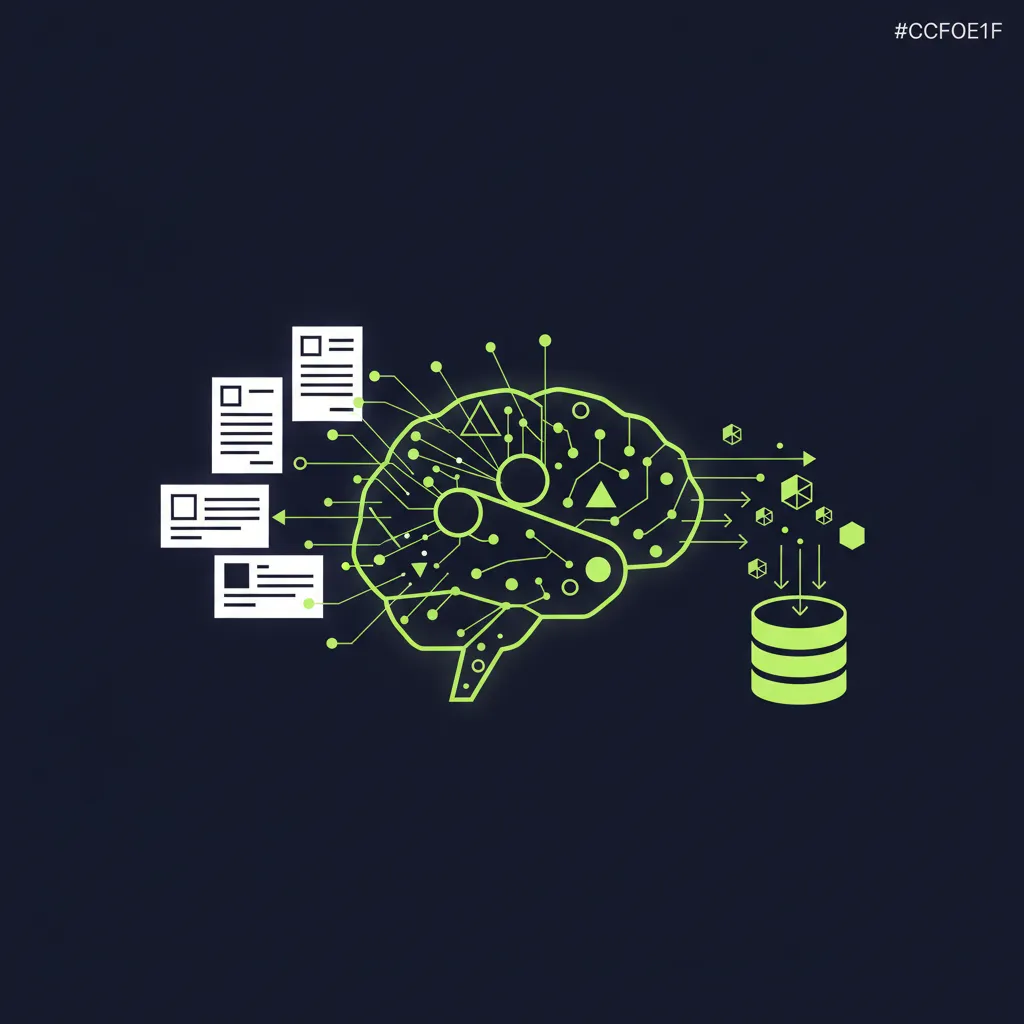
Automated invoice data capture follows a six-stage pipeline that transforms a raw document into validated, export-ready structured data. Here is exactly what happens when you submit an invoice to an AI-powered system like FinTask.
1. Invoice Ingestion
Invoices enter the system through multiple channels simultaneously: a dedicated email address (e.g., invoices@yourcompany.com) that auto-forwards to the platform, direct PDF upload via a web portal, mobile app photograph capture, API integration with supplier portals, and even watched folders on shared drives. The system accepts all common file formats -- PDF, JPEG, PNG, TIFF, HEIC, and Word documents. For European businesses, this means handling invoices that arrive by email from EU suppliers, by post from local vendors (scanned at reception), and via EDI feeds from larger trading partners -- all funnelled into a single processing queue.
2. Image Preprocessing
Before any text recognition occurs, the system optimises the input image for maximum extraction accuracy. This stage includes deskewing (straightening tilted or rotated scans), noise removal (cleaning speckles, artefacts, and background patterns from low-quality scans), binarisation (converting to high-contrast black and white), contrast enhancement, and resolution normalisation. Preprocessing is critical because input quality is the single largest factor affecting OCR accuracy -- these steps alone can improve extraction rates by 10--15% on poor-quality documents. The system also detects and splits multi-page documents, separating individual invoices from batch scans automatically.
3. Text Recognition (OCR Engine)
The preprocessed image passes through the core OCR engine, which identifies and extracts every piece of text on the document. Modern engines use deep neural networks trained on millions of document images, achieving character-level accuracy above 99% on clean, well-formatted inputs. Each recognised character receives a confidence score indicating the engine's certainty. The engine handles multiple fonts, sizes, weights, and orientations, and can process invoices in over 200 languages -- essential for Irish businesses receiving invoices in English, German, French, Dutch, and other EU languages.
4. Field Extraction and Classification
This is where AI separates invoice OCR from generic document scanning. Rather than returning a wall of unstructured text, the AI model classifies each piece of extracted text into structured fields: invoice number, invoice date, due date, vendor name, vendor address, buyer/bill-to address, PO number, line-item descriptions, quantities, unit prices, line totals, subtotal, tax/VAT rate, tax/VAT amount, total amount, currency, bank/payment details (IBAN, BIC), and payment terms. There are two approaches here: template-based extraction (which requires a manually configured template per vendor layout) and AI-based extraction (which uses machine learning to understand invoice structure contextually, handling any layout without pre-configuration). AI-based systems understand spatial relationships and semantic clues -- they know that the number following a label equivalent to "Total" in any language is the payment amount.
5. Data Validation and Enrichment
Extracted data is cross-referenced and validated automatically. The system verifies that line-item totals sum correctly to the subtotal, that VAT is calculated at the correct rate, that the invoice number has not been submitted previously (duplicate detection), and that the vendor exists in your master file (vendor master matching). Where possible, the system enriches the data -- matching the vendor to an existing supplier record, auto-assigning general ledger codes based on historical coding patterns, and flagging any discrepancies for human review. This validation layer catches errors that even careful manual entry misses.
6. Export to Accounting System
Validated, structured invoice data is pushed directly into your accounting platform -- Xero, QuickBooks, or another connected system -- via real-time API sync. The exported record includes all extracted fields, the original source document as an attachment, and a confidence score for each field. Invoices that fall below confidence thresholds or fail validation checks are routed to an exception queue with flagged fields highlighted, so your team reviews only what needs attention. Learn more about the full pipeline in our AI Invoice Processing guide.
AI OCR vs Traditional (Template-Based) OCR
Not all OCR is equal. The difference between traditional template-based OCR and modern AI OCR invoice processing is fundamental -- and it determines whether your system can handle real-world invoice diversity without constant manual intervention. This comparison covers the key dimensions that matter for intelligent document processing.
| Feature | Template-Based OCR | AI-Based OCR |
|---|---|---|
| Setup per vendor | Manual template required for each layout | No templates needed; adapts automatically |
| New vendor handling | Requires new template (30--60 min per vendor) | Processes immediately with zero configuration |
| Layout variations | Breaks when vendor changes invoice design | Handles any layout, including unseen formats |
| Accuracy (clean documents) | 90--95% | 95--99% |
| Accuracy (poor-quality scans) | 70--85% | 90--95% |
| Handwritten text | Not supported | Supported (improving with each model generation) |
| Multi-language support | Limited; separate config per language | 200+ languages out of the box |
| Self-improvement | No; static rules | Yes; learns from corrections over time |
| Scalability | Low (more vendors = more template maintenance) | High (scales without additional configuration) |
| Best for | Single-format, high-volume from few vendors | Diverse supplier base with varied formats |
The core limitation of template-based OCR is rigidity. It needs to be told exactly where to find each field on every invoice layout. When you work with 50 suppliers -- each with a different format -- that means building and maintaining 50 templates. When a supplier updates their invoice design, the template breaks and extraction fails until someone manually rebuilds it.
AI OCR eliminates this entirely. The machine learning model understands invoice structure at a conceptual level. It does not look for "the number at pixel coordinates 340, 580" -- it looks for "the number that follows a label semantically equivalent to 'Total' and appears in the context of a payment summary." This is why AI-powered systems handle new vendors, new layouts, and new languages without manual setup. For growing businesses that regularly onboard new suppliers, AI-based automated invoice data capture is the only approach that scales sustainably.
Invoice OCR Accuracy: What to Expect
Accuracy is the metric that determines whether your automated invoice data capture system genuinely saves time or simply shifts manual effort from data entry to data correction. Here is what current benchmarks show across different approaches:
| Method | Field-Level Accuracy | Full-Invoice Accuracy | Cost per Invoice |
|---|---|---|---|
| Manual data entry | 85--90% | 80--85% | EUR 12--18 |
| Template-based OCR | 85--95% | 75--90% | EUR 4--8 |
| AI + Machine Learning OCR | 95--99% | 92--98% | EUR 2--3 |
The manual data entry accuracy of 85--90% surprises many people -- most assume humans are more accurate than machines. In practice, fatigue, distraction, and the monotony of keying hundreds of invoices produce consistent error rates that training alone cannot eliminate. Parseur's 2026 benchmarks confirm that AI-powered extraction now outperforms skilled human operators on structured documents by a significant margin.
The distinction between field-level accuracy and document-level accuracy is important. Field-level accuracy (95--99%) means that percentage of individual extracted fields (vendor name, amount, date, etc.) are correct. Document-level accuracy is lower because a single field error on a 15-field invoice drops the entire invoice out of the "fully correct" count. In practice, this means the vast majority of invoices need zero correction, and the small percentage that do typically require only one or two fields adjusted.
Factors affecting accuracy:
- Scan quality -- a crisp 300 DPI PDF yields near-perfect results; a blurry phone photo of a crumpled receipt will not
- Handwritten text -- printed text extracts at 95--99%; handwriting drops to 80--90% depending on legibility
- Multi-language invoices -- Latin-script languages achieve higher accuracy than complex scripts (Arabic, CJK)
- Complex layouts -- invoices with nested tables, multiple tax rates, or non-standard structures are harder to parse
- Training data and feedback loops -- systems that learn from human corrections (Ardent Partners, 2025) improve 2--5 percentage points over the first six months
Streamline Your Financial Operations
Join hundreds of businesses already saving time with FinTask. Get a personalised demo today.
Touchless Invoice Capture: The End Goal
Touchless invoice capture -- also called straight-through processing -- is the gold standard of invoice automation. It means an invoice arrives, is captured, extracted, validated, matched, approved, and posted to your accounting system without a single human touching it. No data entry, no manual review, no approval clicks. The invoice flows from receipt to payment entirely on autopilot.
AI makes this achievable for a significant portion of your invoice volume. When high-accuracy OCR extraction is combined with automated three-way matching (invoice vs purchase order vs goods receipt) and rule-based auto-approval workflows, businesses routinely achieve touchless processing rates above 90%. According to research by Deloitte and Basware, best-in-class organisations reach 89% touchless rates, meaning nearly nine out of ten invoices require zero human intervention from receipt to posting.
The remaining 10--11% are exceptions: invoices with unusual layouts the system has not encountered, missing PO references, amount discrepancies beyond tolerance thresholds, new vendors with no historical data, or flagged potential duplicates. These are routed to a human-in-the-loop exception queue, where a team member reviews only the flagged fields, makes corrections, and approves. The critical point is that your team handles exceptions only -- not every invoice.
To reach high touchless rates, several elements must work together:
- AI OCR with 95%+ extraction accuracy -- the foundation; unreliable data capture forces everything downstream into manual review
- Automated two-way and three-way matching -- with configurable tolerance thresholds (e.g., accept variances under EUR 5 or 2%)
- Rule-based auto-approval -- invoices below a set amount threshold that match a PO and come from an established vendor are approved automatically
- Clean vendor master data -- complete, accurate vendor records reduce matching failures and exception rates
- Continuous learning -- every human correction feeds back into the AI model, pushing accuracy and the touchless rate higher over time
For most SMBs, a realistic first-year target is 60--70% touchless processing, rising to 80--89% as the system learns your vendor patterns. Even at 60%, you have eliminated manual handling for the majority of invoices -- a transformative reduction in workload for your accounts payable team.
Best Practices for Invoice OCR Implementation
Getting the most out of AI-powered invoice capture services requires more than switching on the software. These best practices will help you maximise accuracy, speed, and touchless rates from day one.
Optimise Input Quality
The single biggest factor in OCR accuracy is the quality of the input document. Set a minimum standard of 300 DPI for all scanned invoices. Request native PDFs from suppliers rather than scanned images wherever possible -- a born-digital PDF will always extract more accurately than a scan. When scanning is unavoidable, use a flatbed scanner rather than a phone camera, ensure even lighting without shadows or glare, and prefer PDF output over JPEG (which introduces lossy compression artefacts). These small changes can lift extraction accuracy from 90% to 98%+ on the same OCR engine.
Start with High-Volume Vendors
When rolling out automated invoice data capture, begin with your top 10--20 suppliers by invoice volume. These vendors' invoices consume the most processing time, so even modest accuracy improvements deliver disproportionate time savings. As the AI learns these vendors' layouts, formats, and field positions, extraction accuracy climbs rapidly. Once your high-volume vendors are running at 95%+ accuracy, expand to the next tier. This phased approach also gives your finance team time to adjust workflows and build confidence in the system.
Set Up Exception Handling
No OCR system achieves 100% accuracy on every invoice. Design clear exception handling workflows before go-live. Define what triggers an exception: confidence score below a threshold (e.g., below 85%), failed three-way match, missing mandatory field, amount discrepancy beyond tolerance. Assign exception reviewers and set escalation paths with time limits. A well-designed exception queue with contextual highlighting of flagged fields allows your team to resolve issues in 30--60 seconds per invoice -- far faster than processing the entire invoice from scratch.
Integrate with Your Accounting Stack
The full value of invoice OCR is only realised when extracted data flows directly into your accounting system. Configure your Xero or QuickBooks integration at setup, not as an afterthought. Map your chart of accounts, tax codes (including Irish VAT at 23%, 13.5%, and 9%), cost centres, and tracking categories during initial configuration. Real-time sync eliminates duplicate data entry, ensures your books are always current, and provides the reconciliation backbone that makes touchless processing possible. See our Invoice Automation Guide for a full implementation roadmap.
Frequently Asked Questions
What fields does invoice OCR extract?
AI-powered invoice OCR extracts a comprehensive set of fields: invoice number, invoice date, due date, vendor name and address, buyer/bill-to name and address, purchase order (PO) number, line-item descriptions with quantities and unit prices, line totals, subtotal, tax/VAT rate and amount, total amount due, currency, bank/payment details (IBAN, BIC, sort code), VAT registration number, and payment terms. Advanced systems also extract non-standard fields like project codes, delivery references, and contract numbers based on your configuration.
Can OCR read handwritten invoices?
Modern AI-powered OCR can handle handwritten text, though with lower accuracy than printed text -- typically 80--90% depending on legibility. Handwritten invoices are most common in construction, trades, and field services. Most systems will extract what they can and flag low-confidence fields for human review. For best results, scan handwritten documents at 300 DPI or higher with good contrast. AI handwriting recognition continues to improve with each model generation, but fully handwritten invoices remain one of the more challenging inputs.
How much does automated invoice capture cost?
For SMBs, automated invoice capture tools typically cost between EUR 50--300 per month depending on invoice volume and the platform. Some providers offer per-invoice pricing at EUR 0.50--2.00 per document. Compared to manual data entry at EUR 12--18 per invoice, the cost savings are substantial. Most businesses achieve positive ROI within 60--90 days, especially those processing 100 or more invoices monthly. Factor in the additional savings from fewer errors, eliminated duplicate payments, and captured early payment discounts for the full picture.
What is the difference between OCR and AI invoice processing?
OCR (optical character recognition) is one component of the pipeline -- it handles text recognition, converting pixels on an image into characters. AI invoice processing is the broader intelligence layer built on top of OCR. It adds machine learning for field extraction and classification (knowing that '12/03/2026' is an invoice date, not a PO number), natural language processing for understanding context across languages, validation logic for catching errors, and continuous learning that improves accuracy over time from human corrections. OCR is the eyes; AI is the brain. OCR alone gives you raw text; AI gives you structured, validated invoice data ready for your accounting system.
Ready to Automate Your Accounting?
See how FinTask can save your team hours every week with AI-powered automation. Book a free consultation to get started.

Written by Reza Shahrokhi ACA
Chartered Accountant (Chartered Accountants Ireland) • Founder of FinTask • 8+ years in finance & automation
Reza is a Chartered Accountant and the founder of FinTask. He specialises in helping growing businesses automate accounts payable, invoice processing, and financial reconciliation using AI-powered tools integrated with Xero and QuickBooks.
More about the authorRelated Articles
AI Invoice Processing: How AI Transforms Invoicing
How AI is transforming invoice processing for businesses. From OCR and machine learning to smart matching and approval routing -- a practical guide to what AI invoice tools can (and cannot) do.
9 min readInvoice AutomationBest Invoice Processing Automation Software Compared
A side-by-side comparison of the best invoice processing automation software in 2026, covering features, pricing, OCR accuracy, and which tool fits your business size and accounting stack.
11 min readInvoice AutomationInvoice-to-Pay: Automate the Full Payment Cycle
Automate the full invoice-to-pay cycle from receipt to reconciliation. Learn how end-to-end invoice payment automation reduces costs, accelerates payments, and improves cash flow for growing businesses.
8 min readAP AutomationAP Invoice Processing
A step-by-step breakdown of how AP invoice processing automation works — from invoice capture to payment execution — and why it cuts costs by up to 80%.
9 min read