Invoice Management Services: Outsource or Automate
Choosing between outsourcing and automating your invoice management is one of the most impactful decisions a growing business can make. This guide breaks down costs, control, and scalability to help you pick the right approach.
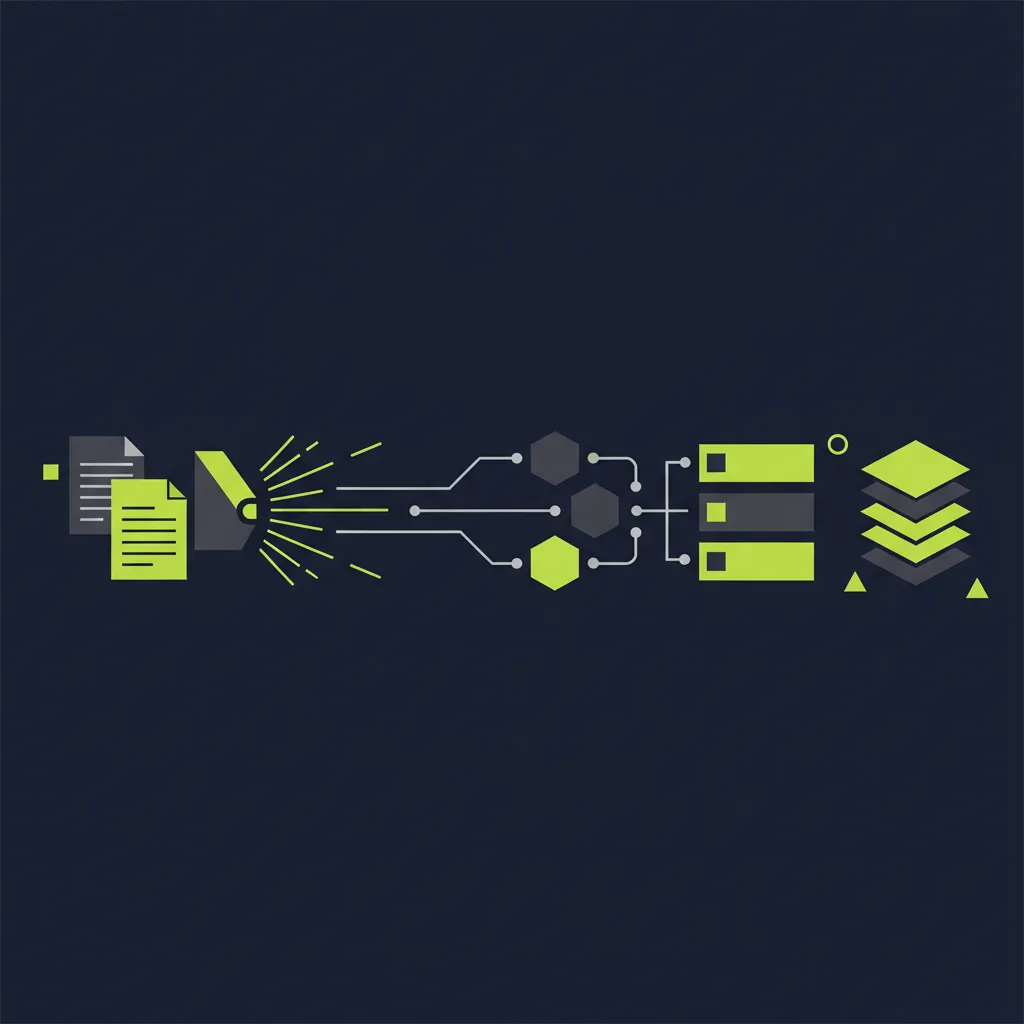
Key Takeaway
Choosing between outsourcing and automating your invoice management is one of the most impactful decisions a growing business can make. This guide breaks down costs, control, and scalability to help you pick the right approach.
What Are Invoice Management Services?
Invoice management services cover the end-to-end handling of supplier invoices on the accounts payable (AP) side of your business. That means receiving invoices, extracting data, coding them to the right accounts, routing them for approval, scheduling payment, and reconciling everything in your books.
It is worth clearing up a common point of confusion. When people search for "invoice services," they often mean one of two different things:
- Service invoices (AR side) -- tools that help you create and send invoices to your customers. These are accounts receivable tools like Zoho Invoice, Wave, or FreshBooks.
- Invoice management services (AP side) -- solutions that help you receive and process invoices from your suppliers. This is what we are covering in this article.
If you run a business that pays suppliers, contractors, or vendors, you need an invoicing process that works. Whether you handle 20 invoices a month or 2,000, the way you manage incoming invoices has a direct impact on cash flow, compliance, and vendor relationships. The question is not whether you need invoice management -- it is whether you should do it yourself, outsource it to a third party, or automate it with software.
This article compares all three approaches and helps you decide which invoice management solutions fit your business best.
The Invoicing Process: From Receipt to Payment
Before choosing an approach, it helps to understand the full invoicing process and where it typically breaks down. Every supplier invoice goes through six core stages:
- Receipt -- The invoice arrives via email, post, or a supplier portal. In many businesses, invoices land in multiple inboxes or get buried in shared mailboxes.
- Data capture -- Someone extracts the key details: vendor name, invoice number, date, line items, amounts, VAT, and payment terms. Manually, this takes 5-15 minutes per invoice.
- Coding -- The invoice is assigned to the correct general ledger (GL) account, cost centre, or project. Miscoding is one of the most common AP errors.
- Matching and validation -- The invoice is compared against the purchase order (if applicable) and the goods receipt. Discrepancies are flagged.
- Approval -- The invoice is routed to the right person (or people) for sign-off. This is where the biggest bottleneck usually sits -- invoices wait in email inboxes for days or weeks.
- Payment and reconciliation -- The approved invoice is scheduled for payment, executed, and reconciled in the accounting system.
Where does this process go wrong? Almost everywhere. Research shows that 39% of invoices contain at least one error -- wrong amounts, missing PO numbers, duplicate submissions, or incorrect VAT. Manual data entry has an error rate of roughly 1.6%, and each error triggers rework that costs time and money.
The fully loaded cost of processing a single invoice manually is EUR 15-16 when you account for labour, error correction, late payment penalties, and missed early payment discounts. For a business handling 200 invoices per month, that is over EUR 3,000 per month -- or EUR 36,000 per year -- just on processing.
The invoicing process does not have to be this expensive or this fragile. The three approaches below each tackle these problems differently.
Three Approaches to Invoice Management
Businesses broadly have three options for managing supplier invoices: do it manually in-house, outsource it to a BPO (business process outsourcing) provider, or automate it with AI-powered software. Each has trade-offs. Here is how they compare:
| Factor | Manual (DIY) | Outsourced (BPO) | Automated (AI Software) |
|---|---|---|---|
| Cost per invoice | EUR 15-16 | EUR 1.40-5.00 | EUR 2-3 |
| Processing time | 14-21 days | 5-10 days | 1-3 days |
| Error rate | 1.6%+ | 0.5-1% | 0.1-0.5% |
| Control and visibility | Full (but manual tracking) | Limited (third-party dependency) | Full (real-time dashboards) |
| Data security | Internal only | Shared with third party | Internal (cloud, EU-hosted) |
| Scalability | Poor (requires more headcount) | Good (provider scales staff) | Excellent (software scales instantly) |
| Best for | Very low volume (<30/month) | Businesses wanting hands-off AP | SMBs wanting speed, control, and cost savings |
Manual Invoice Management
Manual processing means your team handles every step: opening emails, entering data into spreadsheets or accounting software, chasing approvals, and making payments by hand. It works when you have a handful of invoices per month, but it does not scale.
The real cost of manual AP is not just the time spent on data entry. It is the late payment fees you incur when invoices sit in someone's inbox, the early payment discounts you miss because approvals take too long, and the hours your team spends chasing down errors and reconciling at month-end.
For most businesses processing more than 30 invoices per month, manual processing is the most expensive option by a wide margin.
Outsourced Invoice Management (BPO)
Outsourced invoice management services hand the work to a third-party provider. A BPO team receives your invoices, enters the data, performs basic validation, and returns processed records to you for payment. Some providers also handle payment execution and reconciliation.
The cost advantage is clear: outsourced processing typically runs EUR 1.40-5.00 per invoice, depending on complexity and volume. But there are trade-offs:
- Loss of control -- Your financial data is handled by an external team. You rely on their accuracy and turnaround time.
- GDPR exposure -- Sharing supplier and payment data with a third party introduces data protection obligations. You need a solid Data Processing Agreement (DPA) and assurance that data stays within the EU.
- Communication lag -- Queries, exceptions, and corrections involve back-and-forth with the outsourced team, adding days to resolution.
- Limited visibility -- You may not have real-time insight into where invoices are in the process. Reporting is often periodic, not live.
Outsourcing works well for businesses that want to remove AP from their plate entirely and are comfortable with the control trade-off. It is less suited to businesses that need real-time visibility or handle sensitive financial relationships.
Automated Invoice Management (AI Software)
Automated invoice management solutions use AI and OCR to handle the invoicing process within your own systems. Invoices arrive by email or upload, the software extracts and validates the data, routes approvals through configurable workflows, and syncs everything to your accounting platform.
Automation sits in a sweet spot between manual and outsourced: you get the cost savings of outsourcing (EUR 2-3 per invoice) with the control and visibility of doing it in-house. The key advantage is speed -- automated systems process invoices in one to three days, compared to one to three weeks manually.
For growing businesses, automation also solves the scalability problem. Adding 50 or 500 more invoices per month does not require hiring more staff or negotiating a bigger BPO contract. The software handles the volume.
The main consideration is that automation requires initial setup: connecting your accounting software, configuring approval workflows, and training the AI on your invoice formats. Most modern platforms, including FinTask, can be set up in one to two weeks.
Benefits of Automated Invoice Management
Automation delivers the strongest combination of cost savings, speed, accuracy, and control. Here are the measurable benefits businesses see after switching from manual or outsourced processing:
- Up to 80% cost reduction -- Processing costs drop from EUR 15-16 per invoice to EUR 2-3 per invoice. For a business handling 300 invoices per month, that is annual savings of over EUR 46,000.
- 5x faster processing -- Invoices that took two to three weeks now take one to three days. Approvals happen in hours, not weeks, thanks to mobile-friendly workflows and automated reminders.
- Near-zero errors -- AI extraction and automated matching reduce error rates from 1.6% to below 0.5%. Duplicate detection, amount validation, and PO matching catch mistakes before they become costly problems.
- Real-time visibility -- Dashboards show every invoice in your pipeline: received, pending approval, approved, scheduled for payment, paid. No more chasing status updates or waiting for month-end reports.
- Built-in compliance -- Complete audit trails, GDPR-compliant data handling, VAT validation, and role-based access controls. Every action is logged and traceable, which simplifies audits and Revenue reporting.
- Seamless accounting integration -- Native integration with Xero, QuickBooks, and other platforms means invoices, payments, and reconciliation data sync automatically. No double entry, no CSV imports, no reconciliation gaps.
The ROI is substantial. Most businesses see a 200-600% return in the first year, depending on invoice volume and current processing costs. The payback period is typically under three months.
For a deeper look at how automation transforms the full AP cycle, see our complete invoice processing guide.
Streamline Your Financial Operations
Join hundreds of businesses already saving time with FinTask. Get a personalised demo today.
Best Invoice Services for Small Businesses
If you are a small business searching for invoice services for small businesses, you will find two categories of tools: those that help you send invoices (AR) and those that help you process invoices you receive (AP). Both are important, but they solve different problems.
Invoicing Tools (Accounts Receivable)
These tools help you create, send, and track invoices to your customers. Many are free or very affordable:
- Zoho Invoice -- Free for up to 1,000 invoices per year. Clean interface, recurring invoices, payment reminders, and multi-currency support. Good for freelancers and small service businesses.
- Wave -- Completely free invoicing and accounting for small businesses. Includes receipt scanning, bank connections, and basic financial reports. Well-suited to sole traders and microbusinesses.
- Invoice Ninja -- Open-source invoicing with a generous free tier. Supports recurring invoices, online payments (Stripe, PayPal), expense tracking, and client portals. A strong option for tech-savvy small businesses.
These are excellent tools, but they are designed for the AR side of your business. They help you get paid -- they do not help you manage the invoices you receive from suppliers.
Invoice Management Solutions (Accounts Payable)
For managing incoming supplier invoices, small businesses need AP-focused tools. Here are the leading invoice management solutions for SMBs:
- FinTask -- AI-powered invoice processing built for European SMBs. Handles invoice capture, approval workflows, and payment scheduling with native Xero and QuickBooks integration. GDPR-compliant with EU data hosting. Designed specifically for businesses that want automation without enterprise complexity.
- BILL (formerly Bill.com) -- A well-established AP automation platform popular with US-based SMBs. Offers invoice capture, approval workflows, and payment execution. Strong bank integrations but pricing can be high for low-volume businesses.
- Xero and QuickBooks built-in AP -- Both platforms include basic invoice management features: manual invoice entry, simple approval routing, and payment tracking. These work for very low volumes but lack AI extraction, automated matching, and the workflow sophistication of dedicated AP tools.
- Ramp -- Combines corporate cards with AP automation. Invoices are captured and matched against card transactions. Strong for businesses that centralise spending on corporate cards, though less flexible for traditional supplier invoicing.
For small businesses handling more than 30-50 invoices per month, a dedicated AP tool pays for itself within the first quarter. The built-in features in Xero or QuickBooks are a reasonable starting point, but they will not scale.
See our comparison of AP automation software for a more detailed breakdown.
How to Choose: Outsource or Automate?
The outsource-vs-automate decision is the central question for any business looking at invoice management services. Both approaches are dramatically better than manual processing, but they suit different situations. Here is a decision framework to help you choose:
| Factor | Outsource If... | Automate If... |
|---|---|---|
| Invoice volume | High and steady (predictable workload for a BPO team) | Variable or growing (software scales without renegotiating contracts) |
| Control needs | You are comfortable delegating AP to a third party | You want full visibility and control over every invoice |
| Data sensitivity | You have a solid DPA and trust the provider's security | You prefer to keep financial data in-house (critical for GDPR compliance) |
| Budget | You want predictable per-invoice pricing with no software to manage | You want the lowest long-term cost per invoice with high ROI |
| Integration | Your BPO provider can work with your accounting platform | You need real-time sync with Xero, QuickBooks, or other tools |
| Long-term strategy | AP is not a strategic priority -- you want it off your plate | You want to build a modern, scalable finance operation |
For most European SMBs, automation is the stronger choice. Here is why:
- GDPR matters -- Sharing supplier financial data with a third-party processor introduces compliance obligations that many BPO providers, especially those based outside the EU, do not fully address. Automation keeps your data within your own systems, hosted in the EU.
- Real-time visibility is a competitive advantage -- Knowing your exact payables position at any moment enables better cash flow management, smarter payment timing, and faster month-end close.
- Cost convergence -- Outsourced processing at EUR 1.40-5.00 per invoice and automated processing at EUR 2-3 per invoice are in the same range, but automation delivers more control, better accuracy, and real-time integration for a similar cost.
- Scalability without renegotiation -- With automation, growing from 100 to 1,000 invoices per month does not require a new BPO contract. The software handles it.
That said, outsourcing can make sense for businesses with specialised AP requirements (complex multi-entity structures, high-volume PO matching) or those that genuinely want to remove AP from their operations entirely.
For a deeper dive into automating your invoice workflows, see our guide on invoice workflow automation.
Frequently Asked Questions
Below are answers to the most common questions about invoice management services, invoicing terminology, and how to get started.
Start Managing Invoices the Smarter Way
Whether you are processing 50 invoices a month or 5,000, the days of manual invoice management are numbered. The real question is not if you should improve your invoicing process -- it is how.
Outsourcing removes the burden but gives up control. Automation keeps you in the driver's seat while slashing costs and errors. For most growing businesses, especially those in the EU where GDPR and data sovereignty matter, automation is the smarter path.
FinTask helps SMBs automate invoice management from receipt to payment -- with AI-powered data capture, configurable approval workflows, and native integration with Xero and QuickBooks. No outsourcing, no loss of control, no compliance headaches.
Explore FinTask's invoice management platform or book a free consultation to see how much time and money your business could save.
Frequently Asked Questions
What is an invoice in accounting?
An invoice is a formal document sent by a seller to a buyer requesting payment for goods or services delivered. It includes details such as the vendor name, invoice number, date, line items with descriptions and amounts, VAT or tax, payment terms, and bank details. In accounting, invoices are the primary source document for recording purchases (accounts payable) and sales (accounts receivable). They create a legal obligation to pay and form the basis of your financial records, VAT returns, and audit trail.
What is an invoice number?
An invoice number is a unique identifier assigned to each invoice by the issuer. It is used to track, reference, and match invoices throughout the payment process. Invoice numbers are typically sequential (e.g., INV-001, INV-002) but can follow any consistent pattern. They are essential for avoiding duplicate payments, resolving disputes, and maintaining an accurate audit trail. In automated invoice management, the system uses the invoice number as a key field for matching, deduplication, and reconciliation.
How much do invoice management services cost?
Costs vary by approach. Manual processing runs EUR 15-16 per invoice when you factor in labour, errors, and missed discounts. Outsourced BPO services typically charge EUR 1.40-5.00 per invoice, depending on complexity and volume. Automated software solutions cost roughly EUR 2-3 per invoice, with monthly subscription fees ranging from EUR 50-500 for SMBs. Automation delivers the best long-term ROI, with most businesses seeing 200-600% returns in the first year.
Can I automate invoices in Xero or QuickBooks?
Xero and QuickBooks both include basic invoice management features -- you can manually enter supplier invoices, set up simple approval rules, and schedule payments. However, they lack AI-powered data extraction, automated three-way matching, and sophisticated approval workflows. For true invoice automation, you need a dedicated AP tool that integrates with your accounting platform. FinTask, for example, connects natively with Xero and QuickBooks, automatically capturing invoice data and syncing approvals and payments in real time.
What is the difference between invoicing software and invoice management?
Invoicing software (like Zoho Invoice, Wave, or FreshBooks) helps you create and send invoices to your customers -- it is an accounts receivable (AR) tool. Invoice management services handle the invoices you receive from suppliers -- this is an accounts payable (AP) function. Invoicing software helps you get paid; invoice management helps you pay others efficiently. Many businesses need both, but they are different tools solving different problems.
Is it better to outsource or automate invoice management?
For most SMBs, automation is the stronger choice. It delivers similar or lower per-invoice costs compared to outsourcing (EUR 2-3 vs EUR 1.40-5.00), while giving you full control, real-time visibility, and GDPR-compliant data handling. Outsourcing makes sense if you want AP entirely off your plate and are comfortable sharing financial data with a third party. Automation is better if you want speed, control, scalability, and tight integration with your accounting software. The long-term trend is clearly toward automation, with most businesses seeing payback within three months.
Ready to Automate Your Accounting?
See how FinTask can save your team hours every week with AI-powered automation. Book a free consultation to get started.

Written by Reza Shahrokhi ACA
Chartered Accountant (Chartered Accountants Ireland) • Founder of FinTask • 8+ years in finance & automation
Reza is a Chartered Accountant and the founder of FinTask. He specialises in helping growing businesses automate accounts payable, invoice processing, and financial reconciliation using AI-powered tools integrated with Xero and QuickBooks.
More about the authorRelated Articles
Invoice Processing Automation: The Complete Guide (2026)
Invoice processing automation replaces manual data entry, approval chasing, and paper-based workflows with AI-powered systems that cut cost-per-invoice from EUR 25 to under EUR 4 and processing time from weeks to hours. This guide covers how it works, the five system types, workflow steps, European compliance requirements, and how to choose the right solution for your business size.
15 min readAP AutomationAP Software
A detailed comparison of the best AP automation software in 2026. Features, pricing, Xero/QuickBooks integration, and which solution fits your business size.
12 min readAP AutomationBest AP Solutions
A guide to the best AP automation solutions and proven best practices for implementation. Reviews of top tools plus a practical framework for choosing the right fit.
10 min read